---
title: "Monitor OpenCode Tasks on Mobile"
description: "Start a task in OpenCode Mobile, attach context, follow live progress, steer or stop a run, and judge whether the result is complete."
canonical: "https://getopencode.app/docs/guides/tasks/"
lastUpdated: "2026-10-19"
---
Use Chat to start work from your phone, check whether a task is progressing, or give OpenCode its next instruction.
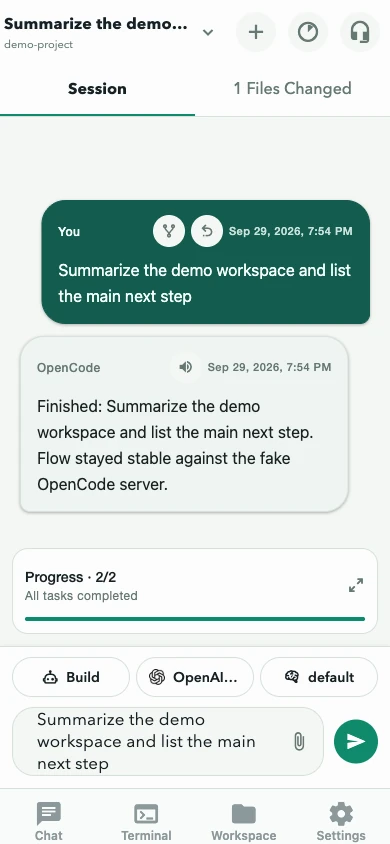
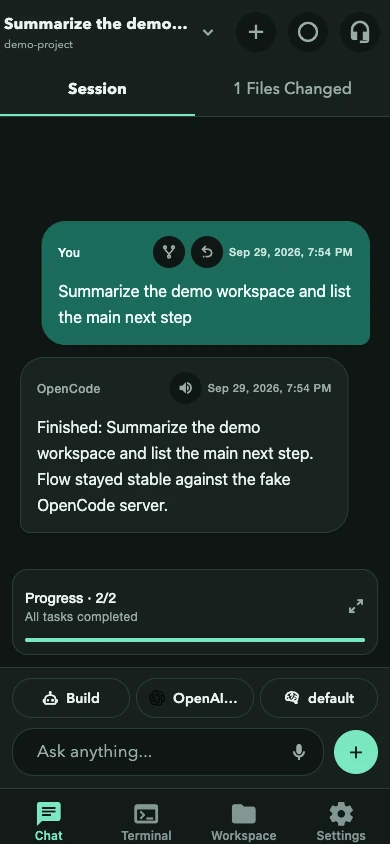
The screenshot follows the website’s current color theme.
 ## Before you start
- Select the intended project in **Projects** or through the project picker in **Chat**.
- Confirm the session title at the top of **Chat**.
- Choose the agent and model above the composer.
- Keep approval prompts enabled when working in an unfamiliar repository.
## Send a task
1. Write the outcome you want in **Ask anything**.
2. Add constraints that OpenCode should preserve.
3. Say how the result should be checked.
4. Tap send.
A useful prompt is specific without dictating every implementation detail:
> Fix the empty state on the account page. Reuse the existing button component, do not change the API, and run the related tests.
You may also attach files with **+**, dictate into the draft with the microphone, or select a server-provided slash command after typing `/`.
## Attach context
- Attachments are limited to **10 MB per file**.
- The selected model must advertise attachment support.
- Images, documents, and other supported files can be previewed before sending.
- On Android, content shared from another app opens a review screen first; see [Share from other apps](/docs/guides/share-from-other-apps/).
- Shared or attached content is never submitted automatically.
## Follow the work
The **Session** tab shows the conversation, running status, todos, and anything waiting for you. Tool activity and reasoning appear as compact supporting details beneath assistant messages.
The **Files Changed** tab shows the current diff. Expand a file to inspect additions and deletions before treating the task as complete. Use the source control in the diff overlay to switch between **Turn**, **Uncommitted**, and **Branch** scopes.
If the composer is empty while the task is running, its main action becomes **Stop**. Use it to abort a task that is going in the wrong direction.
## Send another message while work is running
On OpenCode 2 servers, **Settings → Advanced → Editor** controls how messages sent during a running task are delivered:
- **Steer** applies the message at the next step of the current response.
- **Append** queues the message for a later turn.
Choose the behavior that matches the intent. Steering can correct a run quickly; appending preserves the current turn.
## What good completion looks like
- The assistant explains what changed.
- **Files Changed** matches the requested scope.
- Relevant validation passed or any failure is clearly reported.
- No permission or question is still waiting for you.
- The notification, if enabled, matches the actual server state.
Next: [Review approvals and changes](/docs/guides/approvals-and-changes/), [inspect session usage](/docs/guides/usage/), or [manage the session](/docs/guides/sessions/).
## Before you start
- Select the intended project in **Projects** or through the project picker in **Chat**.
- Confirm the session title at the top of **Chat**.
- Choose the agent and model above the composer.
- Keep approval prompts enabled when working in an unfamiliar repository.
## Send a task
1. Write the outcome you want in **Ask anything**.
2. Add constraints that OpenCode should preserve.
3. Say how the result should be checked.
4. Tap send.
A useful prompt is specific without dictating every implementation detail:
> Fix the empty state on the account page. Reuse the existing button component, do not change the API, and run the related tests.
You may also attach files with **+**, dictate into the draft with the microphone, or select a server-provided slash command after typing `/`.
## Attach context
- Attachments are limited to **10 MB per file**.
- The selected model must advertise attachment support.
- Images, documents, and other supported files can be previewed before sending.
- On Android, content shared from another app opens a review screen first; see [Share from other apps](/docs/guides/share-from-other-apps/).
- Shared or attached content is never submitted automatically.
## Follow the work
The **Session** tab shows the conversation, running status, todos, and anything waiting for you. Tool activity and reasoning appear as compact supporting details beneath assistant messages.
The **Files Changed** tab shows the current diff. Expand a file to inspect additions and deletions before treating the task as complete. Use the source control in the diff overlay to switch between **Turn**, **Uncommitted**, and **Branch** scopes.
If the composer is empty while the task is running, its main action becomes **Stop**. Use it to abort a task that is going in the wrong direction.
## Send another message while work is running
On OpenCode 2 servers, **Settings → Advanced → Editor** controls how messages sent during a running task are delivered:
- **Steer** applies the message at the next step of the current response.
- **Append** queues the message for a later turn.
Choose the behavior that matches the intent. Steering can correct a run quickly; appending preserves the current turn.
## What good completion looks like
- The assistant explains what changed.
- **Files Changed** matches the requested scope.
- Relevant validation passed or any failure is clearly reported.
- No permission or question is still waiting for you.
- The notification, if enabled, matches the actual server state.
Next: [Review approvals and changes](/docs/guides/approvals-and-changes/), [inspect session usage](/docs/guides/usage/), or [manage the session](/docs/guides/sessions/).