Task control
Start, watch, and redirect
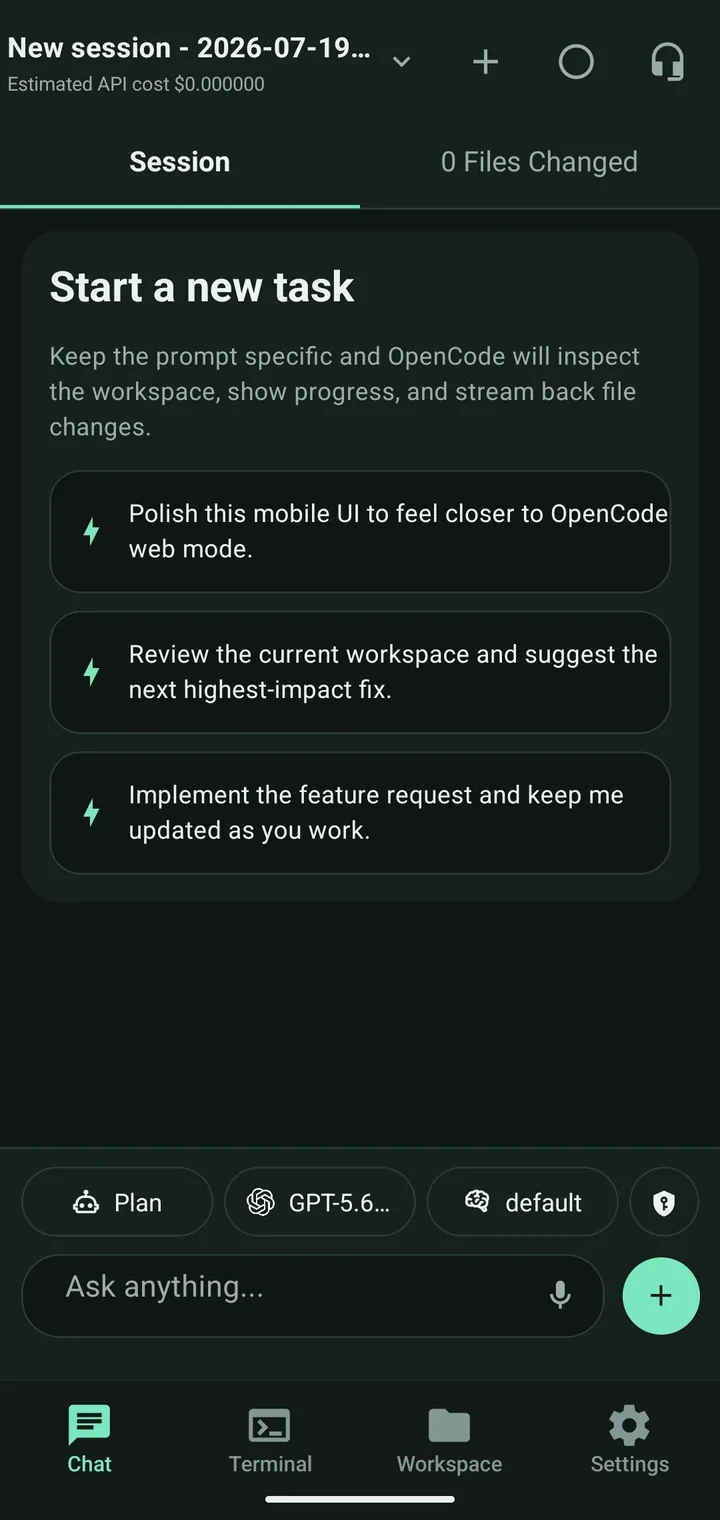
Send the task, see what OpenCode is doing, answer blocking requests, and review the result.
Community-built companion for OpenCode
Start tasks, check progress, use the terminal, and manage workspaces from your phone—without reopening your laptop.
Android release · iOS TestFlight beta · Apache-2.0
60 seconds to understand the app
See three real app screens with simple explanations of what each one helps you accomplish.
Choose a capability guide01 / Product
These are the approved app captures, shown at a size where the real controls and information hierarchy remain understandable.
Send the task, see what OpenCode is doing, answer blocking requests, and review the result.
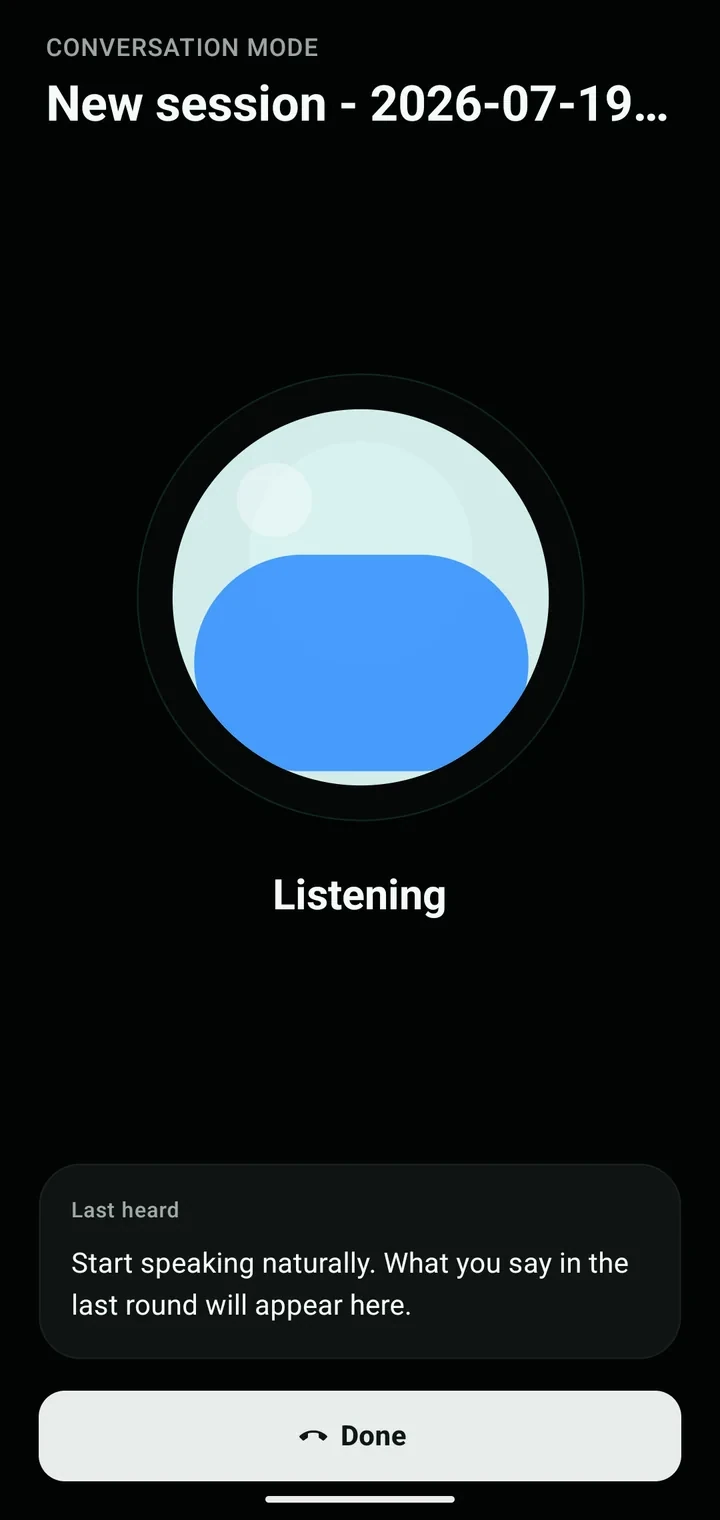
Speak a follow-up while away from the keyboard, then return to the same session and context.
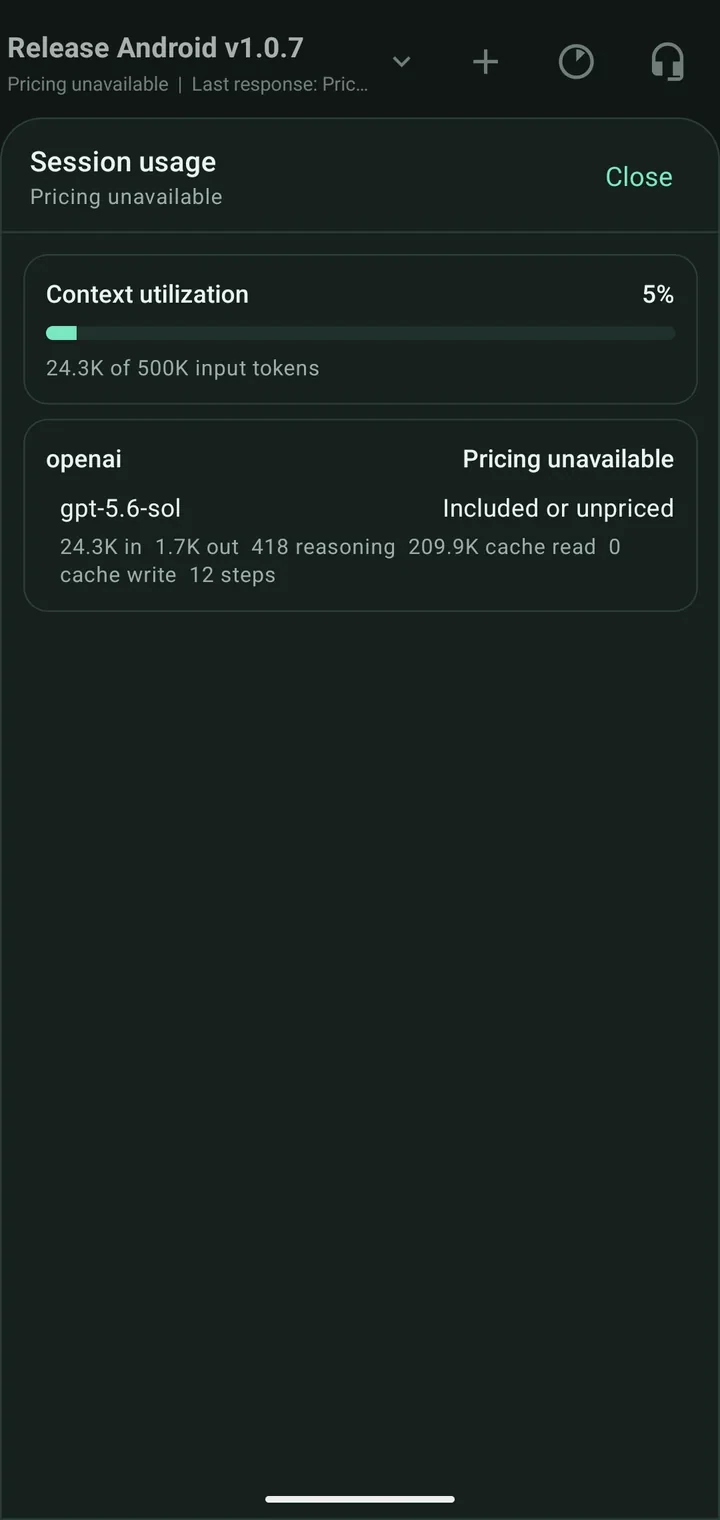
Check context utilization, token activity, and the active model without leaving the task.
02 / Setup
Your code stays on your machine. The mobile app connects to the OpenCode server you control.
Start a headless server on the machine that owns your workspace.
opencode serve --port 4096Add authentication and route it through an HTTPS tunnel or proxy.
cloudflared tunnel --url localhost:4096Enter the protected server URL, choose a workspace, and continue.
Open the complete setup guide03 / Control surface
Built for quick interventions and honest visibility—not for squeezing a desktop IDE onto a smaller screen.
Choose the agent and model, send useful context, then follow the work.
How to use itAnswer permissions deliberately and inspect every changed file.
How to use itFind a file, make a focused patch, or run a short terminal command.
How to use itDictate one prompt or use the foreground conversation loop.
How to use itRead context pressure, token activity, steps, and cost estimates.
How to use it04 / Relationship
OpenCode Mobile is an independent, community-built client. It connects to the open-source coding agent you already run and keeps that work reachable when you step away from your desk.
Explore the original OpenCode product05 / Download
Install Android through Google Play or GitHub, or join the iOS beta through TestFlight.
Enroll with your Google account, then install and receive updates through the Play Store.
Download From Google PlayInstall the iOS beta with TestFlight and receive beta updates from the project release channel.
Join iOS TestFlightDownload the latest release yourself. Android may ask you to allow installation from your browser or file manager.
Download latest APK06 / FAQ
The practical details about platform support, access, and ownership.
The current release is available for Android through Google Play or a direct APK, and as an iOS beta through TestFlight.
Yes. OpenCode Mobile connects to an OpenCode server and works with its sessions and workspaces; it does not replace the server.
Keep OpenCode bound locally, enable username and password authentication, and use a secure HTTPS tunnel or reverse proxy. The setup guide covers the recommended flow.
No. It is an open-source, community-built companion that works with OpenCode. OpenCode and its trademarks belong to their respective owners.
The source, releases, and issue tracker are public on GitHub. Stars, bug reports, and pull requests all help the project grow.
Ready when your server is.
Install on Android or join the iOS beta, then visit GitHub to inspect the code and help shape what comes next.