Task control
Start, watch, and redirect
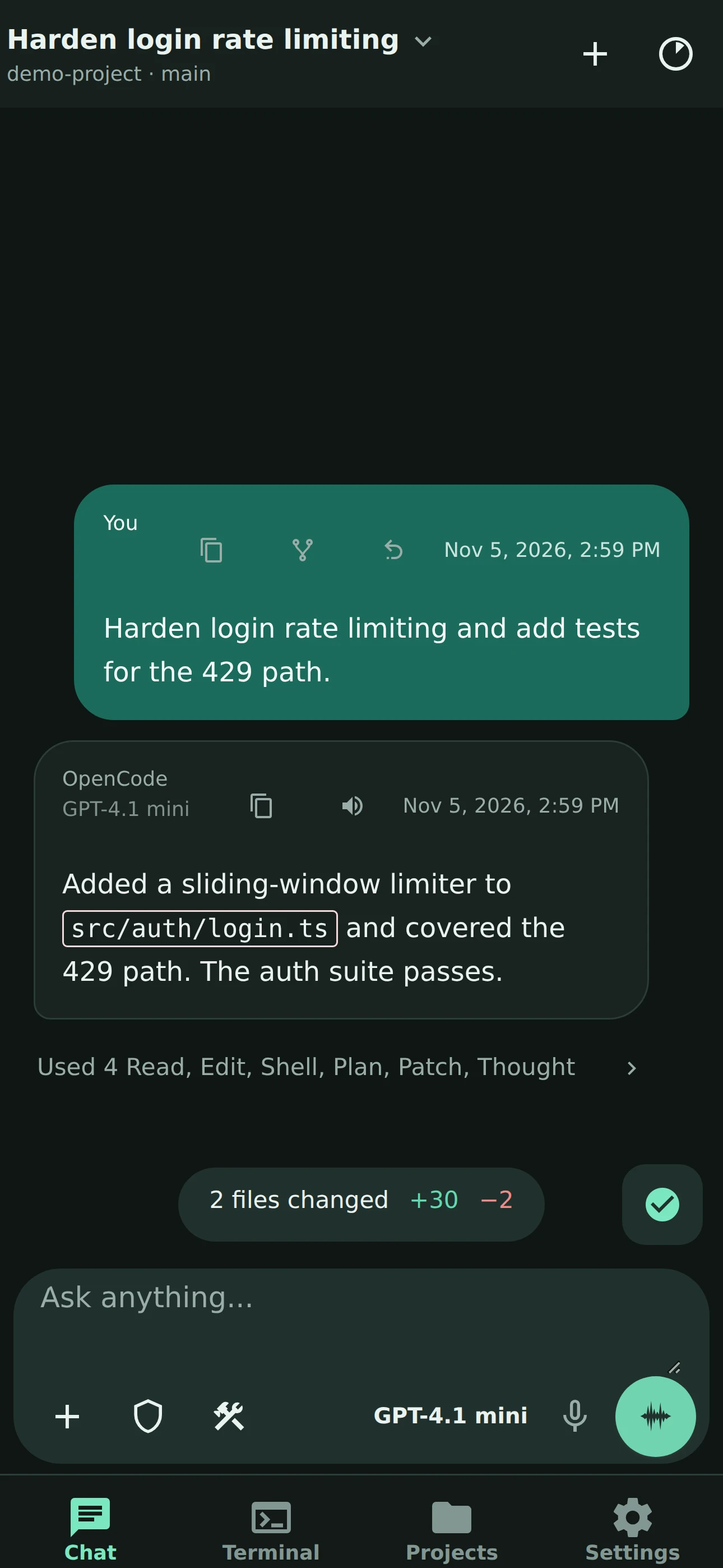
Send the task, follow the activity timeline, answer blocking requests, and review the changed files.
Community-built companion for OpenCode
Start tasks, check progress, use the terminal, review changes, and manage projects and extensions from your phone—without reopening your laptop.
Android release · iOS TestFlight beta · Apache-2.0
Independent project — not built by or affiliated with the OpenCode team.
30 seconds to understand the app
See chat, progress, review, terminal, files, plugin panels, server settings, and voice in motion, with a simple explanation of each.
Choose a capability guide01 / Product
These are the approved app captures, shown at a size where the real controls and information hierarchy remain understandable.
Send the task, follow the activity timeline, answer blocking requests, and review the changed files.
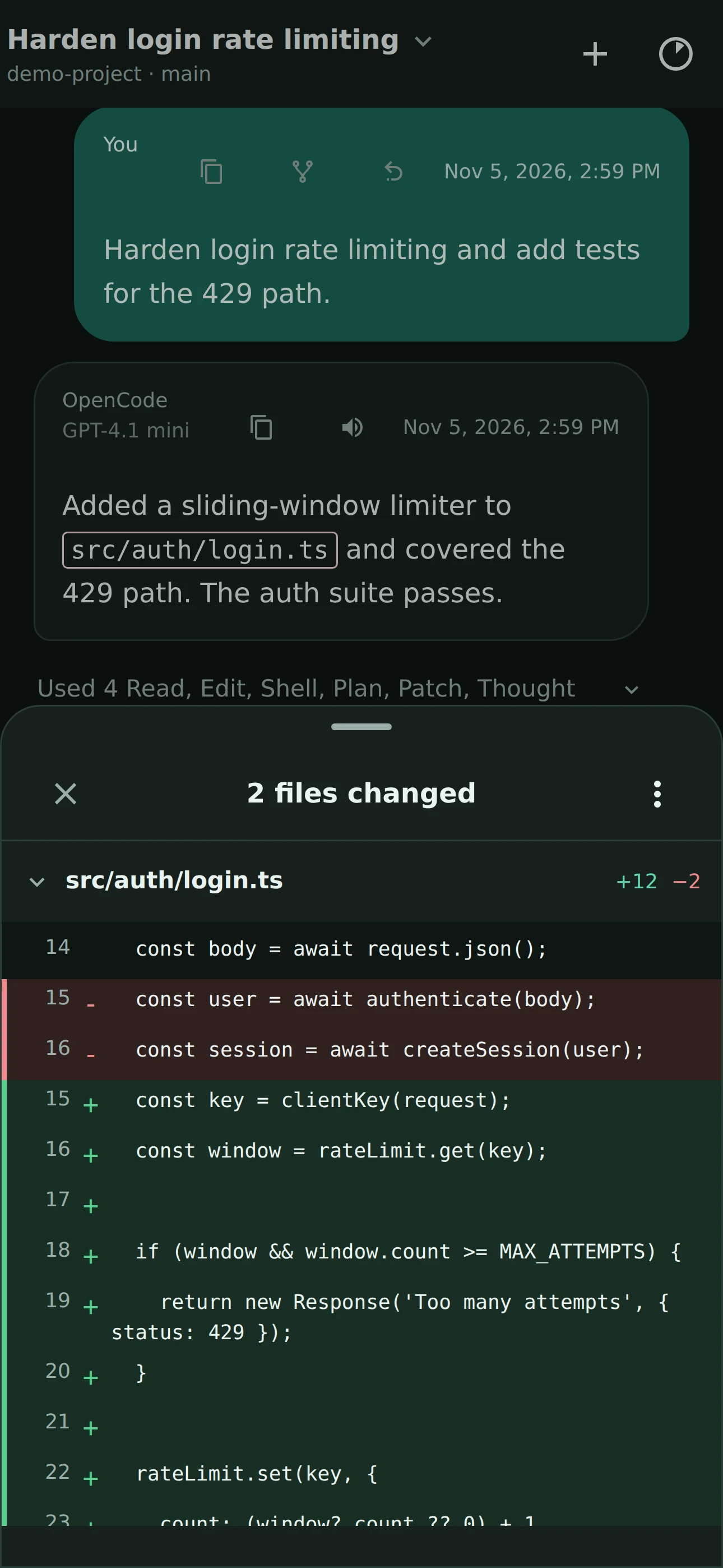
Open the change chip to inspect Turn, Uncommitted, or Branch diffs file by file.
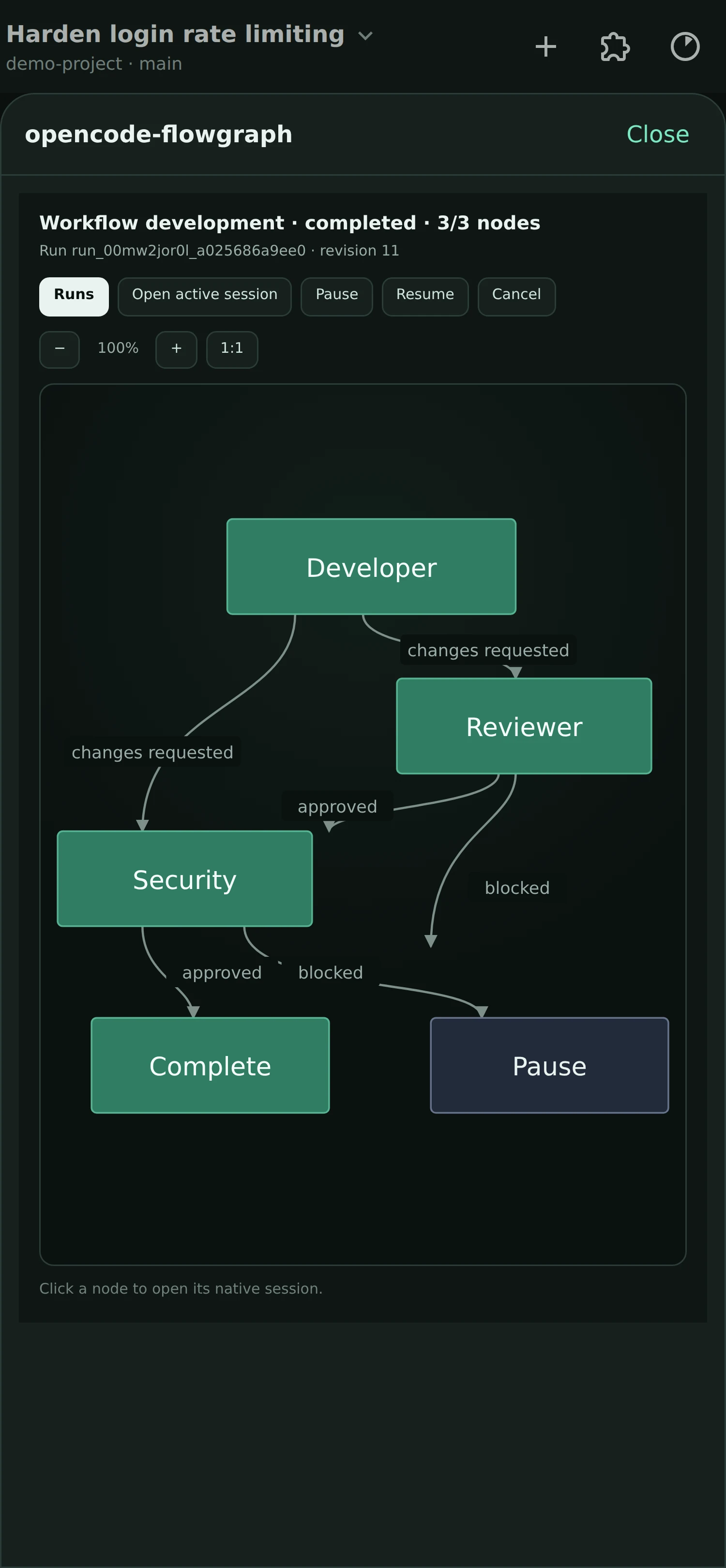
Manage MCPs, plugins, agents, skills, and commands, and open plugin panels inside the app.
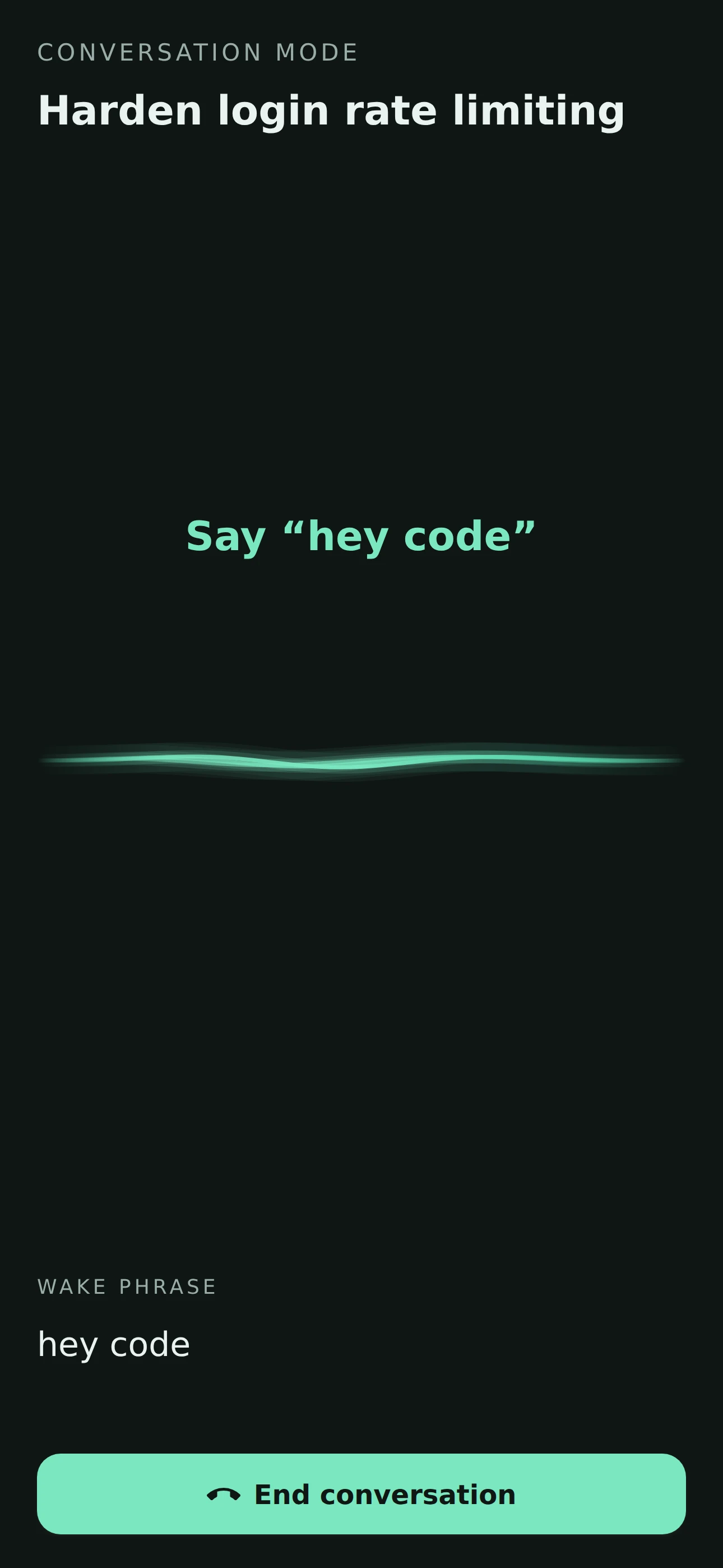
Start conversation mode, say the wake phrase, and send a follow-up without typing.
02 / Setup
Your code stays on your machine. The mobile app connects to the OpenCode server you already run.
OpenCode Desktop: Settings → Pairing. TUI: /pair. CLI: opencode pair.
opencode pairAlready on Tailscale or another VPN? Point the pairing link at the address your phone can reach.
opencode pair --url http://<address>:<port>Scan the QR code, choose a project, and keep working. No tunnel is required if the phone can already connect.
Open the complete setup guide03 / Control surface
Built for quick interventions and honest visibility—not for squeezing a desktop IDE onto a smaller screen.
Choose the agent and model, send useful context, then follow the work.
How to use itAnswer permissions deliberately and inspect every changed file.
How to use itFind a file, preview media, move entries, or run a short terminal command.
How to use itDictate one prompt or use the wake-word conversation loop, with an on-device option.
How to use itRead context pressure, token activity, steps, and cost estimates.
How to use itEdit MCPs, plugins, agents, skills, and commands, then open plugin panels.
How to use itClassify each prompt and route it to a simple, standard, or complex model.
How to use it04 / Relationship
OpenCode Mobile is an independent, community-built client. It connects to the open-source coding agent you already run and keeps that work reachable when you step away from your desk.
Explore the original OpenCode product05 / Download
Install Android through Google Play or GitHub, or join the iOS beta through TestFlight.
Enroll with your Google account, then install and receive updates through the Play Store.
Download From Google PlayInstall the iOS beta with TestFlight and receive beta updates from the project release channel.
Join iOS TestFlightDownload the latest release yourself. Android may ask you to allow installation from your browser or file manager.
Download latest APK06 / FAQ
The practical details about platform support, access, and ownership.
The current release is available for 64-bit ARM Android through Google Play or a direct APK, and as an iOS beta through TestFlight. 32-bit-only Android devices are unsupported.
OpenCode 2 is the primary target and enables extensions, plugin panels, media previews, file actions, composer mentions, and automatic routing. OpenCode 1.x is supported with manual connections for the core chat, project, file, and terminal surface.
Yes. OpenCode Mobile connects to an OpenCode server and works with its sessions and projects; it does not replace the server.
Use the setup you already have. OpenCode Desktop: Settings → Pairing → Show details. TUI: /pair. CLI or a reachable shared service: opencode pair or opencode pair --url. Standalone servers and OpenCode 1.x use a manual URL and password. You do not need a tunnel, a fixed port, or a password change when the phone can already reach the server.
Yes, when OpenCode Mobile connects to the same OpenCode server. Projects, sessions, progress, approvals, and changes live on the server. Local drafts, open tabs, and scroll position do not transfer.
No. Cloud Link is optional managed remote access for store-installed builds. A local network, Tailscale, Cloudflare Tunnel, a reverse proxy, SSH forwarding, or native pairing can work instead.
On OpenCode 2, Settings → Extensions manages MCP servers, plugins, agents, skills, and slash commands. Installed plugins can also expose GUI panels inside Chat.
No. It is an open-source, community-built companion that works with OpenCode. OpenCode and its trademarks belong to their respective owners.
The source, releases, and issue tracker are public on GitHub. Stars, bug reports, and pull requests all help the project grow.
Ready when your server is.
Install on Android or join the iOS beta, then visit GitHub to inspect the code and help shape what comes next.